ERPNext Customization
With experience implementing ERPNext in different organizations, I have resolved issues that impeded user efficiency and experience by observing and taking user feedback, resulting in a more seamless and satisfying user experience. Some of the most notable issues I resolved are highlighted below.
Navigation in ERPNext
Issue
The current webpage routing in ERPNext is an inefficient, making users easily get distracted and lose focus on their tasks.
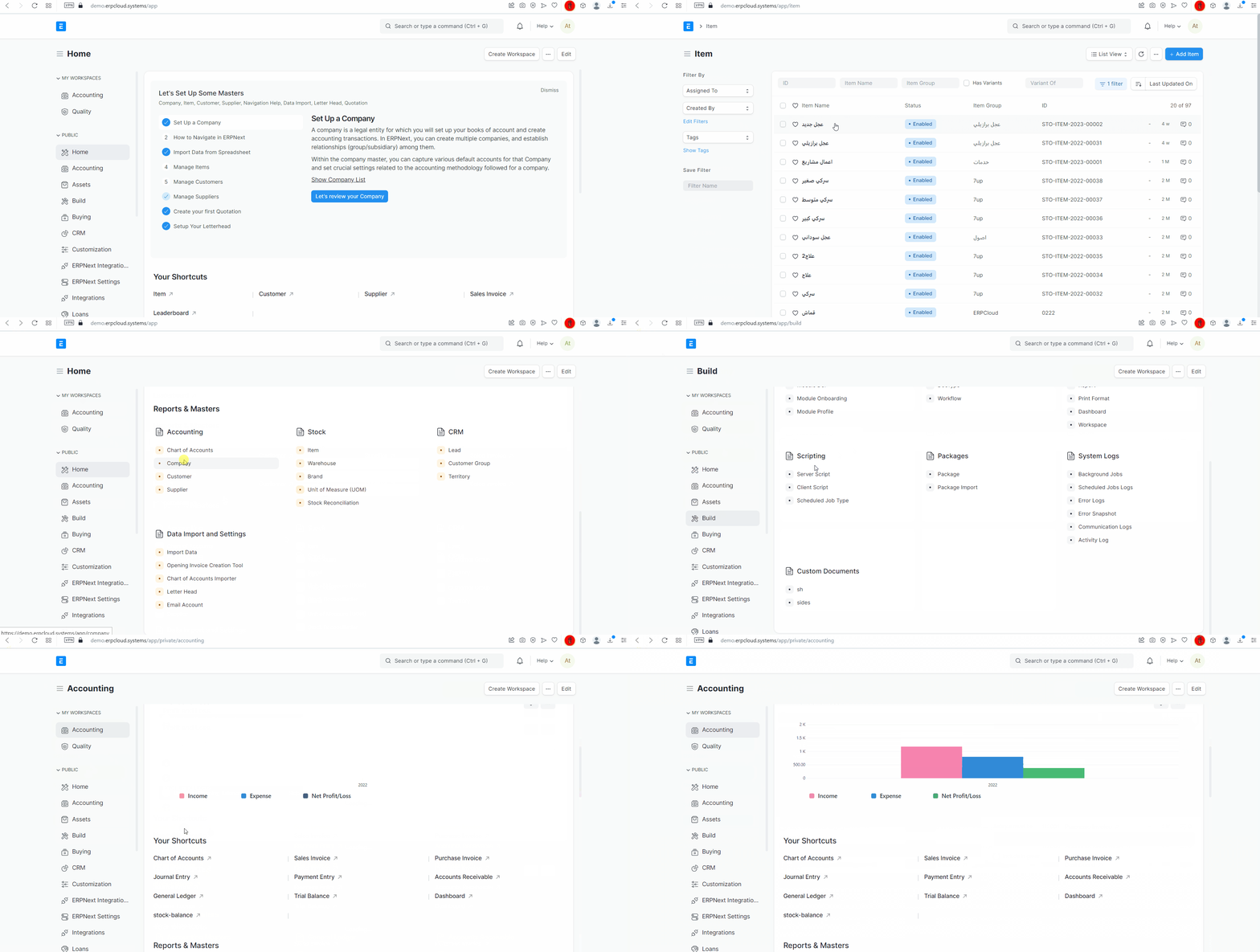
- Users are required to open a new browser tab for each page in order to multitask.
- Users have to remember which browser tab they needed to access for different tasks.
- Users are forced to navigate back and forth between different pages.
Solution
The solution should enable users to track their tasks and navigate between different modules within a single view, while providing them with a more user-friendly experience.
To achieve the desired solution, I considered two different approaches, including a tabs-based interface and a windows-based interface.
I have implemented both the tabs-based and windows-based interfaces, and have conducted user testing and received positive feedback, which validates the effectiveness of these new concepts.
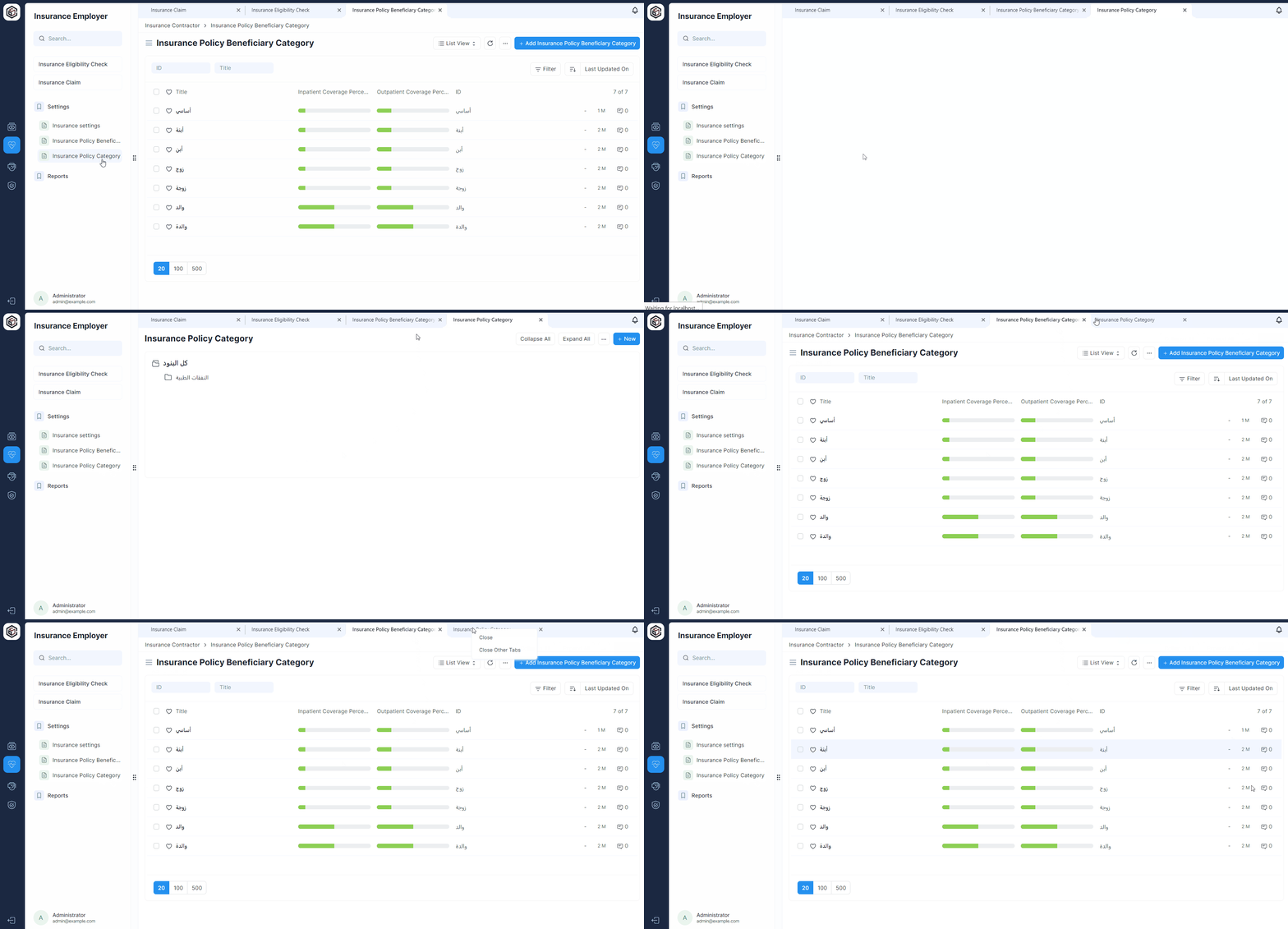
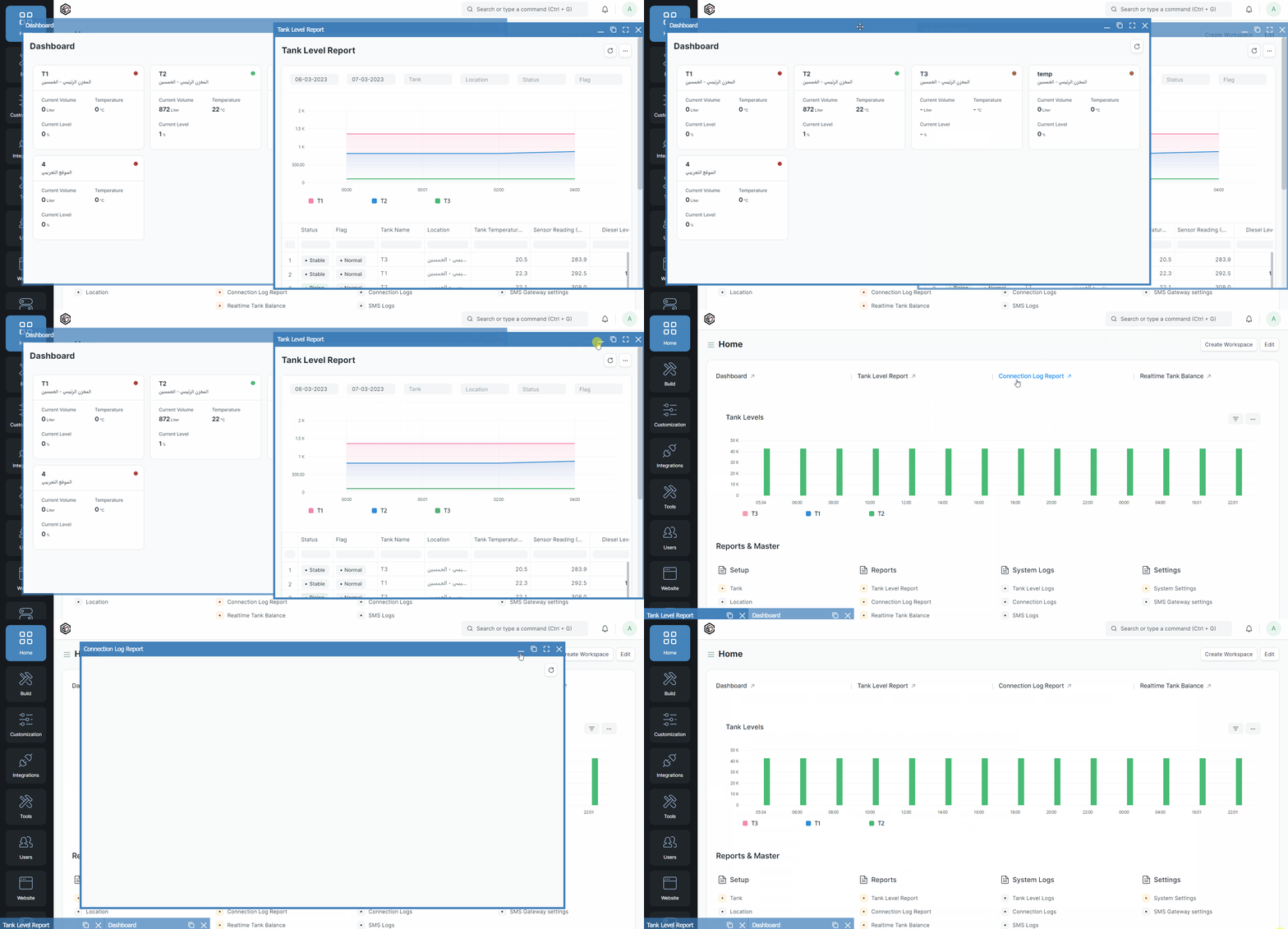
- Improved efficiency and productivity for users, as they were able to manage multiple tasks at once.
- Users were able to switch between modules and pages quickly and easily without losing track of their progress.
- Increased user satisfaction, as the new interface was more intuitive and user-friendly.
- Reduced errors and mistakes, as the new interface reduced confusion making it easier for users to stay focused.
Datatables in ERPNext
Issue
Users' productivity was hindered by ERPNext's datatable limitations, leading to increased time and effort to complete tasks and reliance on external applications.
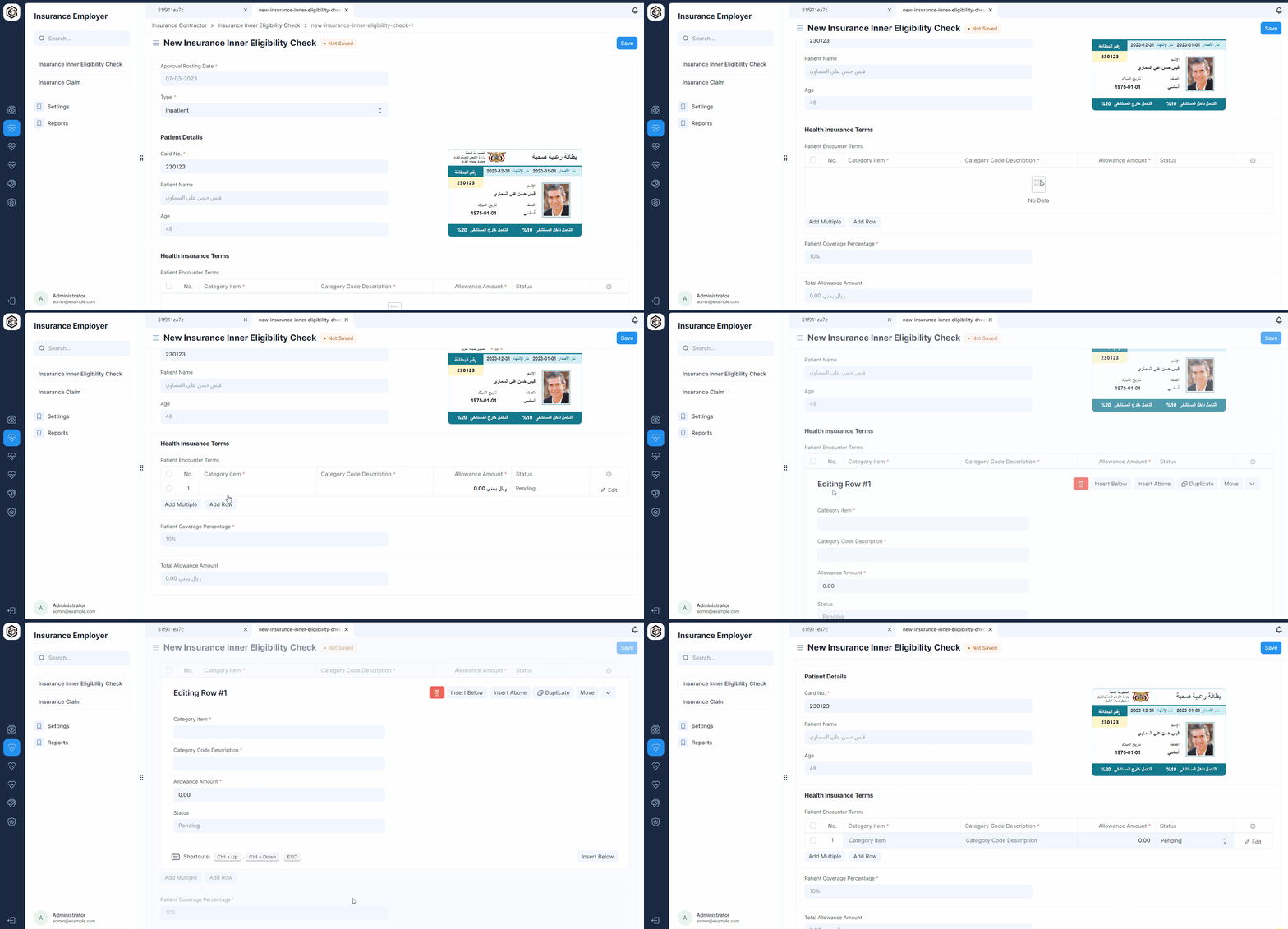
- The table is restricted to five columns per row, which forces users to enter data one row at a time, resulting in a time-consuming process.
- Limited flexibility when working with large amounts of data in data entry, as well as importing and exporting data.
- Lack of advanced features such as filtering, sorting, and formulas, which makes it difficult to analyze and manipulate data.
Solution
The solution should provide users with a user-friendly datatable that resembles the functionality of Excel and other spreadsheet applications, including advanced features such as filtering, sorting, and formulas, to enable efficient and effective data management.
To achieve the desired solution, I implemented a full-featured spreadsheet-like datatable that addressed the limitations of the default datatable.
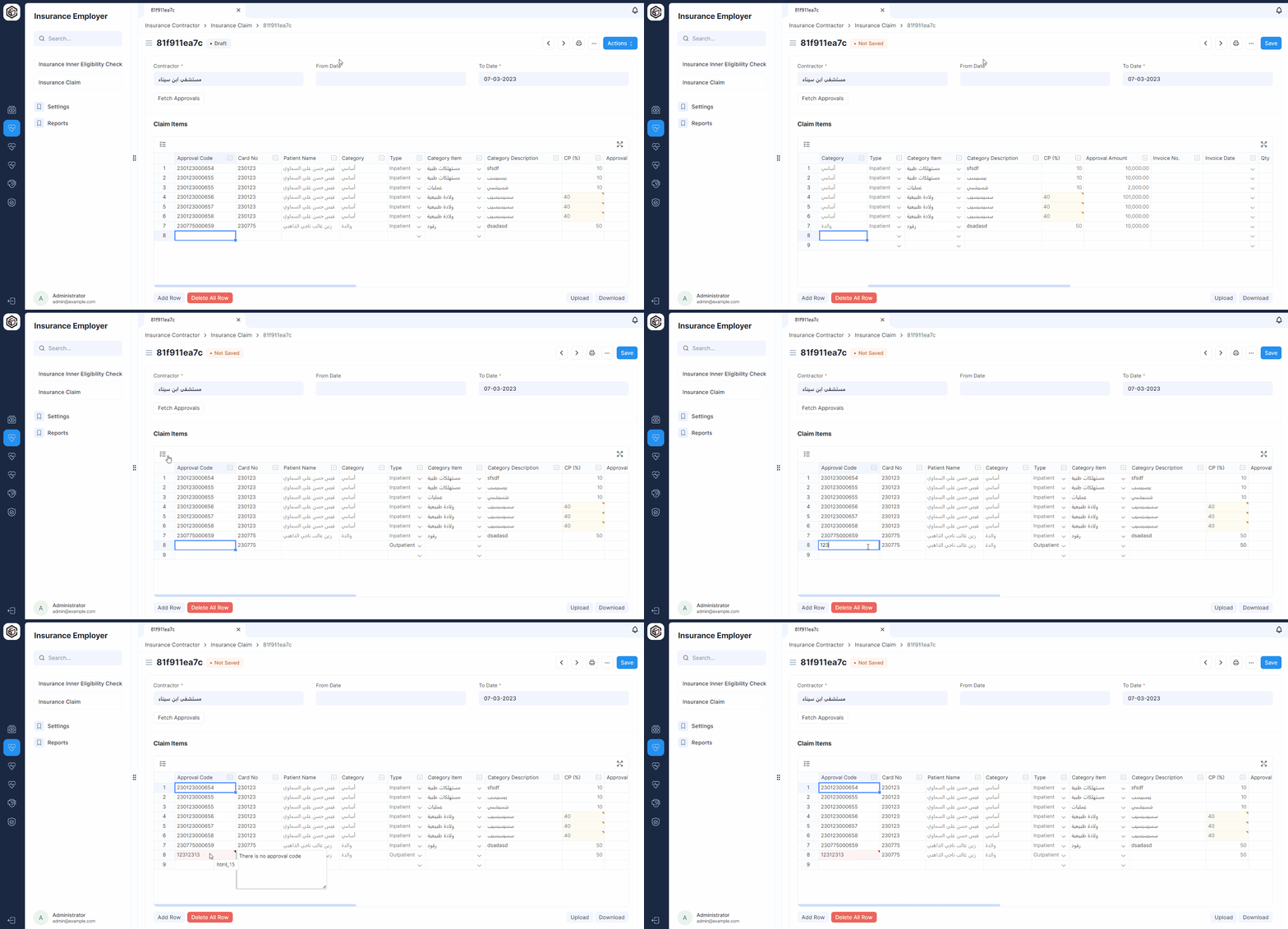
The new datatable improved the UI/UX of ERPNext in the following ways:
- Improved efficiency and productivity for users, as they were able to enter and manage data more quickly and accurately.
- Provided a more familiar and user-friendly experience for users, as it resembled a spreadsheet that they were already familiar with.
- Users were able to import, export, analyze, validate, and manipulate data more efficiently using the advanced features of the new table, without the need to rely on other external applications or tools.